Disclaimer: This content is unclassified and has been shared within Combined Space Operations CSpO allies (US, UK, Canada, Australia, and New Zealand). It includes sensitive military context with high-risk implications for national space security and is intended for restricted circulation. Please refrain from further distribution.
Phase 1 - Summary Dashboard
The design process of the Summary Dashboard: one consolidated view that gave analysts the most critical information about orbit weather without making them navigate to find it.
Terminology

Launch
A satellite being sent into space using rockets. Its info includes date, time, rocket, location, orbit, payload, and mission details.

Payload
The cargo of a spacecraft or satellite that is carried into space

Re-entry
The return of a satellite from space to Earth's atmosphere, either in a controlled or uncontrolled manner.

Conjunction
The close approach or potential collision between two or more satellites

Break-up
The disintegration of a satellite into multiple fragments as a result of a collision, explosion, or other catastrophic event

Mega Constellation
A vast network or a series of many small satellites, serving various purposes, like global internet coverage
The data existed in a light-mode dashboard (image below). The access didn't. Critical information about launches, re-entries, conjunctions, and breakups was scattered across separate pages with no unified view and no urgency hierarchy. Analysts were spending time finding information instead of acting on it.

The Users
SDA (Space Domain Awareness) Analysts, the primary users: Officers under 7SOPS within 3 Canadian Space Division (3CSD). They monitor orbital activity, write reports, track threats, and make fast decisions. For them, every second spent hunting for information is a second not spent acting on it.
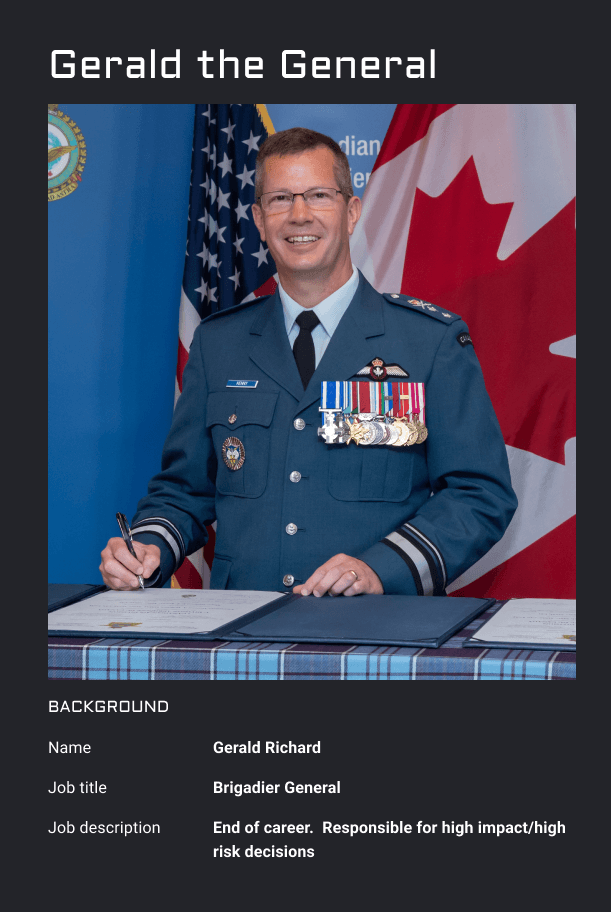
General and Commander of 7 Wing, the secondary users: Executive-level users who need high-level situational awareness. They read the same dashboard differently: less operational detail, more strategic picture. The design had to serve both without compromising either.

7Wing Structure and The Team
Users: SDA Analysts under 7SOPS (7 Space Operations Squadron)
Product team: DeOPS and SEO (Space Engineer Office) under 7OSS (7 Operation Support Squadron)

Discovery
Discovery sessions were run with 7SOPS-SDA officers to understand what a genuinely useful summary dashboard looked like from where they sat. Access to primary users was limited and scheduled carefully, so an Assumption Tracker was built alongside the research, a structured way to log, test, and validate design decisions between sessions rather than waiting on perfect information.
What analysts told us:
Tables mattered more than charts. Launches, breakups, and conjunctions were most useful as scannable rows, not visualizations.
12 hours of historical data wasn't enough. Analysts needed 24.
Events that slipped outside the time window still needed to stay visible. Operators didn't want to lose track of something just because the clock moved past it.
Eventually the system would need to serve SDA, Space Weather, and Command as separate contexts, but right now, the operator was the priority.

From rough sketches to a testable screen
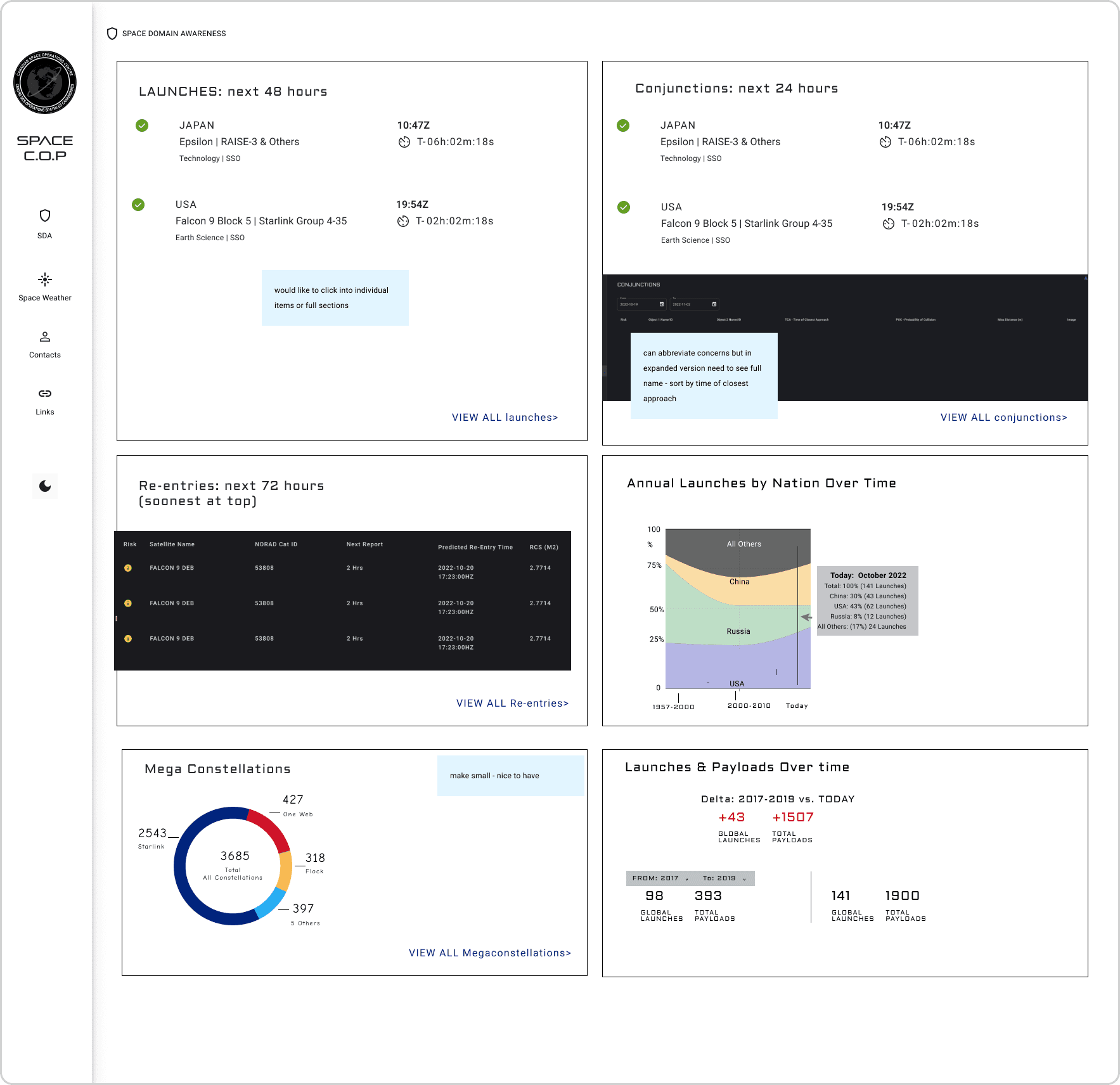
Initial wireframes were built quickly and deliberately rough. The point wasn't to polish. It was getting something in front of analysts to react to.
Six sections were defined as primary information for the Summary Dashboard: Launches, Conjunctions, Re-entries, Annual Launches, Mega Constellations, and Launches & Payloads Over Time. With no existing design system in place, MUI React Library was chosen as the foundation — practical, scalable, and something the dev team could build from immediately.
Open source tools used:
Design system: MUI React Library
Charts: Recharts
Map libraries: deck.gl
Satellite public data: Spacetrack, Spacelaunchnow, Thespacedevs
Wireframe
Many innitial proposed solutions were determined after the discovery. The main proposed solutions is developed into a wireframe in quick effort and rough basic sketches.

Assumption Tracker
Due to the limitation of chances to be able to chat with the primary users, the Assumption Tracker is made for me and the team to validate our assumptions and move forward faster within the loop of feedback through a combination of usability tests and user feedback sessions.
Mid-fi SummaryDashboard
The wireframe then is developed into a mid-fi screen for usability testing. Please disregard any UI inconsistency.

What the feedback confirmed
After usability testing and feedback sessions on the Summary Dashboard, analysts were consistent:
Tables over charts - every time
Data window needed to extend to 24 hours
Pinning was essential - operators needed a way to keep important events on screen regardless of time parameters
Next in line: Breakups, Conjunctions, Items of Interest, and navigation
Solutions
Summary Dashboard
The redesigned dashboard brought all six data sections into a single dark-mode view. Default width is 1920px, with flexible layouts for the 1024 and 1440 screens operators also use across different workstations in the control room.
Dark mode wasn't aesthetic. The control room environment required it.


Home - 1024 px

Home - 1920 px

Home - 1440 px
Pinning Launches Feature
To address the key learning "Operators want to pin an event so that it stays on the dashboard if its status is delayed or it’s of interest but exists outside the time parameters so they don’t lose track of it." The pinning launches feature is also developed and tested.

What is next?
Feature and data improvements on individual pages are the next prioritization for Space C.O.P including:
Launches
Re-entries
Breakups
Conjunctions
Items of Interest
Based on the discussions after the Summary Dashboard, Space C.O.P now moved on to focus on the current individual data page to understand how we could make them more tactical and surface the highest priority information for operators. It is crucial that interesting and cool data is available and integrated but doesn’t sacrifice at-a-glance readability for operators.
